
Getting Started
You can quickly start using this extension in just 3 easy steps.
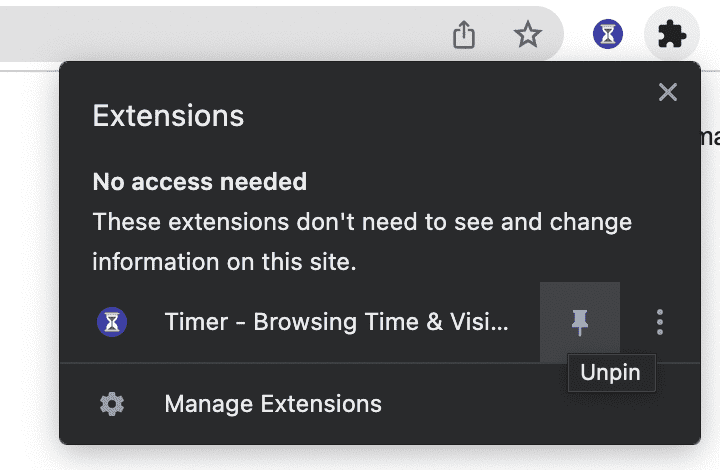
1. Pin the icon
Firstly, to use this extension more conveniently, we recommend pinning it. This works differently in each browser; the following figure shows how in Chrome.
2. Browse any website
Then, browse any website, and you will see the time ticking up on the icon, just like this  .
.
3. Read data in the popup page
Finally, click the icon to open the popup page and see today's, this week's or this month's data visualized as a pie chart.
And you can access all features by clicking on the link at the bottom of this page.
TIP
You have learned the basic usage, try it!